
SEO Score Report: What It Means and How to Use It
An SEO score report gives you an overview of how well a web page or website is optimised for search engines. It can highlight potential issues with technical setup, content, page speed and links, helping you decide what to improve next.
However, an SEO score is not a direct measure of where a page will rank in Google. Different tools use different checks and scoring systems, so the number is best treated as a guide rather than a definitive judgement.
What does an SEO score report measure?
Most reports assess a selection of factors that may affect a website’s visibility and usability. These commonly include:
- Technical SEO: Whether search engines can crawl and index the site, and whether key elements such as HTTPS and XML sitemaps are in place.
- On-page SEO: The use of page titles, headings, meta descriptions, image alt text and relevant keywords.
- Content: Whether the page is useful, relevant, clear and sufficiently comprehensive for its intended audience.
- Page experience: Factors such as mobile usability, loading speed and layout stability.
- Links: Internal links between pages and, in some tools, links from other websites.
The exact checks depend on the reporting tool. One platform might focus on technical errors, while another may give greater weight to content or backlinks.
How to read your report
Start with the individual findings rather than focusing solely on the overall score. A report may present a list of warnings, errors and recommendations, but not every item will have the same impact.
Check each recommendation against the page’s purpose and your wider SEO strategy. For example, a missing meta description may be worth fixing, but it is unlikely to be as important as a page that cannot be indexed or that fails to answer a visitor’s question.
Look for patterns across the site, too. If several pages have duplicate titles or slow loading times, the cause may be a shared template or technical issue rather than a problem with each page individually.
Common issues highlighted in SEO reports
Missing or unclear page titles
Page titles help describe the content of a page to visitors and search engines. They should be unique, accurate and concise. Avoid repeating keywords unnaturally or making promises the page does not fulfil.
Weak meta descriptions
A meta description summarises a page and may appear in search results. It should explain what visitors can expect and encourage relevant clicks. Search engines may choose to display different text, so treat the description as useful guidance rather than a guaranteed search-result snippet.
Broken links and poor internal linking
Broken links can frustrate visitors and make it harder to navigate a site. Internal links also help people discover related content. Check important links regularly and use descriptive anchor text that makes the destination clear.
Slow or difficult-to-use pages
Large images, unnecessary scripts and poorly optimised page layouts can affect loading and usability. Test pages on mobile devices as well as desktop computers, since many visitors browse on a phone.
Thin or repetitive content
A page may struggle to serve its audience if it offers little useful information or repeats material found elsewhere on the site. Focus on the visitor’s needs, add original detail where it is valuable, and remove content that does not contribute to the page’s purpose.
How to prioritise recommendations
Use a practical order of work:
- Fix access and indexing problems. Confirm that important pages are available to search engines and are not blocked by mistake.
- Resolve serious technical errors. Address broken pages, security issues and problems that affect the whole site.
- Improve key landing pages. Make sure priority pages are relevant, helpful, easy to navigate and clearly written.
- Review mobile usability and speed. Focus on changes that make the experience better for real visitors.
- Polish page-level details. Update titles, headings, descriptions, image text and internal links where needed.
- Measure the results. Track organic traffic, search impressions, clicks, rankings and conversions over time.
Not every recommendation deserves immediate attention. Consider the likely benefit, the effort required and how many pages are affected before deciding what to tackle first.
Why the score can change
SEO scores can vary between tools and may change when a provider updates its checks. They can also be affected by the pages included in a site audit, crawl settings or temporary technical conditions. A higher score does not automatically mean more visitors, and a lower score does not necessarily mean a site is performing poorly.
Use the same tool and settings when comparing reports over time, and keep a record of major website changes. This makes it easier to identify whether your work has improved the areas the report measures.
Use reports alongside real performance data
An SEO score report is most useful when combined with analytics and search performance data. Search Console can show how pages appear in Google Search, including impressions, clicks and indexing information. Website analytics can help you understand what visitors do after arriving on a page.
Review these signals together. If a page has a strong technical score but receives little relevant traffic, its content, search intent or competition may need closer attention. If traffic is healthy but visitors leave without taking action, the page experience or offer may need improvement.
Make SEO reporting an ongoing process
A one-off audit can uncover useful fixes, but SEO is an ongoing process. New content, website updates and changes in search behaviour can introduce fresh issues. Regular checks help you maintain a healthy site and keep your work focused on improvements that matter to visitors.
Ultimately, an SEO score report is a starting point. Use it to find possible problems, verify them, prioritise practical improvements and measure their effect. The aim is not simply to achieve a perfect score, but to create a website that is accessible, useful and easy to find.
8 Tips for Getting the Most from Your SEO Score Report
- Treat the SEO score as a guide, not a ranking guarantee.
- Fix critical errors before minor warnings.
- Check page titles and meta descriptions.
- Review mobile usability and page speed.
- Use clear headings and descriptive URLs.
- Add relevant internal links.
- Check images have descriptive alt text.
- Re-run the report after making changes.
Treat the SEO score as a guide, not a ranking guarantee.
Treat your SEO score as a useful guide, not a guarantee of higher search rankings. Scoring tools assess different factors and use their own methods, so a strong score does not automatically mean your pages will rank well or attract more visitors. Use the report to spot potential improvements, then check its recommendations against your website’s needs and monitor real results, such as organic traffic, search impressions and conversions.
Fix critical errors before minor warnings.
When reviewing an SEO score report, fix critical errors before addressing minor warnings. Issues such as blocked pages, indexing failures, broken links or security problems can prevent search engines and visitors from accessing important content, so they should take priority. Once these are resolved, work through lower-impact recommendations, such as refining meta descriptions or adjusting image alt text. This approach helps you focus time and resources on the changes most likely to improve your website’s accessibility, performance and visibility.
Check page titles and meta descriptions.
Check that every important page has a clear, unique page title and a useful meta description. The title should accurately describe the page and include its main topic naturally, while the description should briefly explain what visitors will find and encourage them to click. Avoid duplicate wording and keyword stuffing, and remember that search engines may sometimes display different text in search results.
Review mobile usability and page speed.
Review mobile usability and page speed to make sure your website works well for visitors on phones and tablets. Check that text is easy to read, buttons are simple to tap and pages load promptly, without images or layout elements causing delays or disruption. Improving these areas can create a better experience for visitors and support your wider SEO efforts.
Use clear headings and descriptive URLs.
Use clear, descriptive headings to organise your content and help readers and search engines understand each section at a glance. Keep URLs concise and meaningful, using words that accurately describe the page rather than long strings of numbers or unnecessary terms. Clear headings and descriptive URLs make your website easier to navigate and can support a stronger SEO score.
Add relevant internal links.
Add relevant internal links to help visitors find related information and move around your website with ease. Link naturally from useful words or phrases to pages that expand on the topic, such as a guide, service page or related article. Clear internal links can also help search engines understand how your pages connect, but avoid adding links that feel forced or do not benefit the reader.
Check images have descriptive alt text.
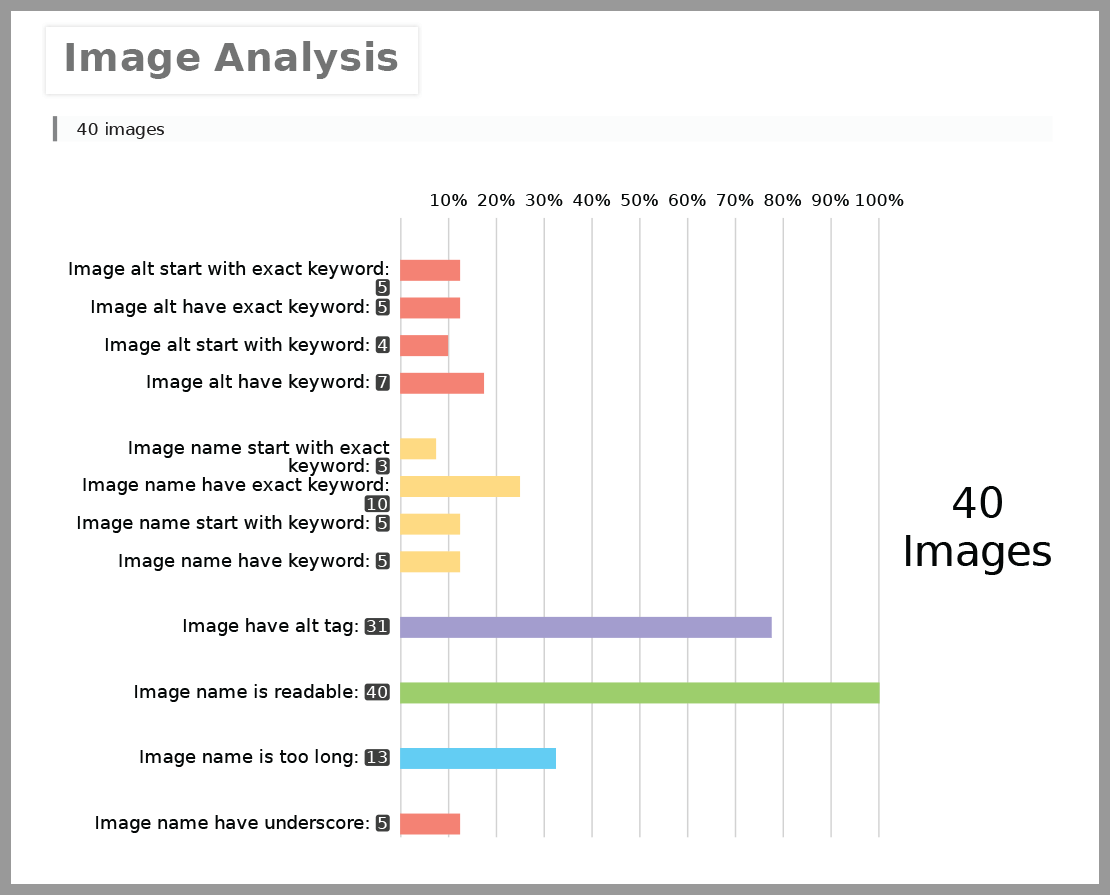
Check that images have descriptive alt text: concise wording that explains an image’s purpose or relevant content. Alt text helps people using screen readers understand visual elements and gives search engines useful context. Keep it accurate and natural, avoid cramming in keywords, and leave alt text empty for purely decorative images so assistive technology can skip them.
Re-run the report after making changes.
Re-run your SEO score report after making changes to check whether the issues have been resolved and to spot anything new. Use the same tool and settings where possible, as scores can vary between platforms. Don’t focus only on the overall number: review the individual findings and compare them with real performance data, such as search impressions, clicks and organic traffic.
Tags: backlinks, broken links, clicks, content quality, conversions, crawling and indexing, google search console, https, internal links, keywords, landing pages, meta descriptions, mobile usability, on-page seo, organic traffic, page experience, page speed, page titles, rankings, search engine optimisation, search engine visibility, search impressions, search intent, seo audit, seo recommendations, seo reporting, seo score report, technical errors, technical seo, website analytics, website performance, xml sitemaps