
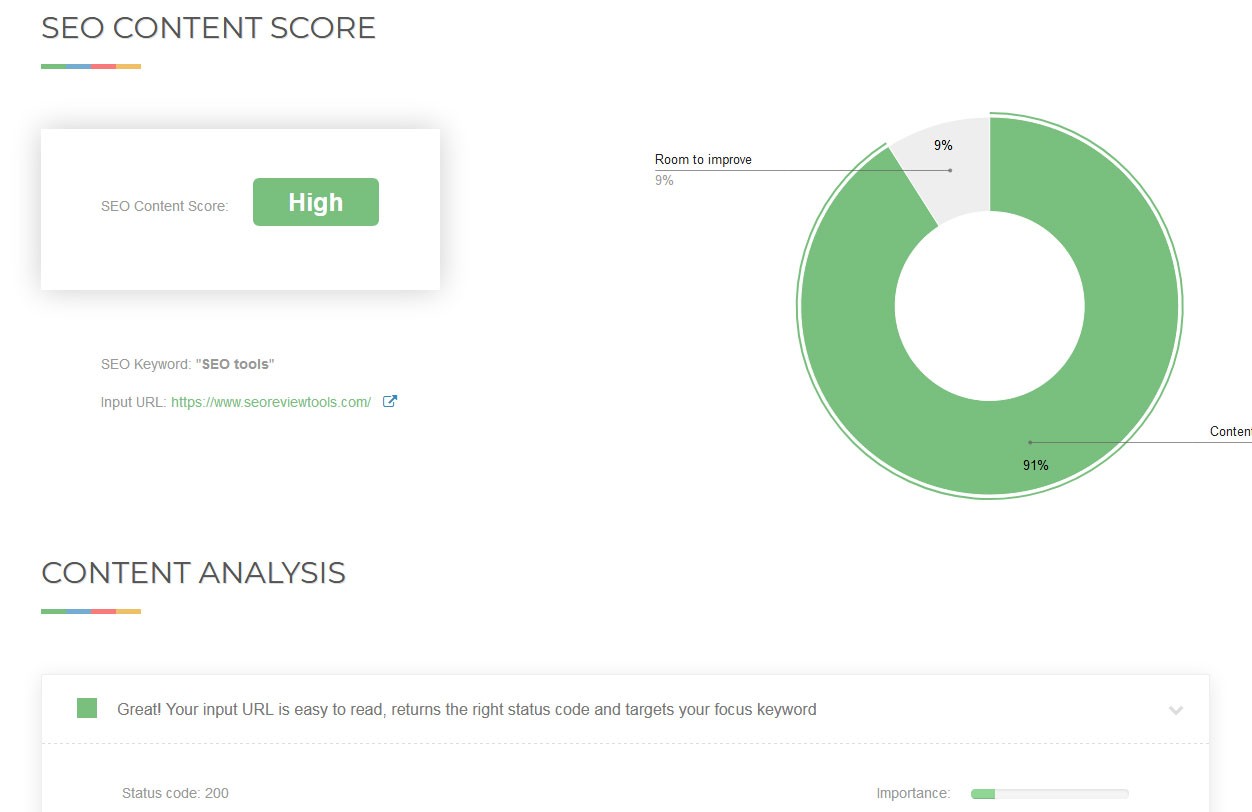
How to Improve Your SEO Score
Improving your SEO score can help your website perform better in search results and make it easier for people to find useful information. SEO tools can highlight areas to work on, but their scores are only guides. Search engines use many signals, so focus on improving the experience and usefulness of your site rather than chasing a perfect score.
Create helpful, relevant content
Start with the needs of your audience. Make each page answer a clear question or provide a useful service. Use accurate information, explain specialist terms and keep content up to date. Avoid adding keywords simply to increase a score; repetitive or unnatural writing can make pages less useful.
Before writing, consider what someone is likely to search for and what they hope to find. Give the main answer early, then add detail where it helps. Use descriptive headings to organise the page and make it easier to scan.
Use keywords naturally
Choose a main topic for each page and include relevant phrases in places where they help readers understand the content, such as:
- the page title;
- the main heading;
- the opening paragraph;
- relevant subheadings; and
- image descriptions, where appropriate.
There is no need to force an exact phrase into every section. Related terms and clear explanations help establish what a page is about without making it sound unnatural.
Write clear page titles and descriptions
Give every important page a unique, descriptive title. Keep it concise and make sure it accurately reflects the page. Search engines may display a different title or description in results, but a clear page title can still help both visitors and search engines understand the content.
Write a useful meta description that summarises the page and encourages the right people to visit. Treat it as a short preview, not a list of keywords.
Improve your website’s technical foundations
Technical issues can make it harder for search engines to find, crawl or understand your pages. Check that important pages are accessible and that your website has:
- a logical structure and clear navigation;
- working internal links;
- an XML sitemap submitted to relevant search tools;
- a correctly configured robots.txt file;
- secure HTTPS connections; and
- no accidental blocking of pages you want indexed.
Fix broken links and redirect outdated URLs to the most relevant alternative. Avoid redirecting every old page to the home page, as this may confuse visitors.
Make the site fast and mobile-friendly
Pages should load reliably on mobile devices as well as desktop computers. Compress large images, remove unnecessary scripts and use suitable image formats. Check how pages behave on different screen sizes, and make buttons, menus and forms easy to use.
Performance tools can identify slow pages and technical opportunities. Prioritise changes that make a noticeable difference to visitors, rather than treating every tool recommendation as equally important.
Use descriptive links and images
Internal links help visitors discover related pages and help search engines understand how your content fits together. Use link text that describes the destination—for example, “read the event guide” is more informative than “click here”.
Use clear file names and alternative text for informative images. Alternative text should describe the image’s purpose in context. Decorative images can usually be given empty alternative text so they do not create unnecessary noise for people using screen readers.
Build credibility and maintain your content
Make it clear who is responsible for your website and how visitors can contact you. Where appropriate, include author details, sources and publication or update dates. Correct errors and review older pages to ensure that information remains accurate.
Links from relevant, reputable websites can help people discover your content and may support your site’s visibility. Aim to earn these links by publishing resources worth referring to; avoid buying links or using schemes designed to manipulate rankings.
Measure progress and keep improving
Use search analytics and website tools to monitor impressions, clicks, relevant search terms, engagement and conversions. Look at trends over time rather than reacting to every small change. If an important page is not performing as expected, check whether it answers the searcher’s needs, is easy to access and is technically sound.
SEO improvement checklist
- Each important page has a clear purpose and useful content.
- Page titles and descriptions are accurate and distinctive.
- Headings organise the content logically.
- Pages work well on mobile and load without unnecessary delay.
- Internal links, images and redirects are checked regularly.
- Search performance is reviewed and improvements are based on evidence.
A stronger SEO score is usually the result of steady improvements to content, usability and technical health. Use automated scores to spot potential issues, then decide what to fix based on the needs of your visitors and the goals of your website.
Six Essential Tips to Boost Your SEO Score Effectively
- Use relevant keywords naturally in titles and headings.
- Write clear, useful content that answers searchers’ questions.
- Add descriptive meta titles and descriptions to key pages.
- Make your site fast and mobile-friendly.
- Use descriptive alt text for images.
- Fix broken links and submit an XML sitemap.
Use relevant keywords naturally in titles and headings.
Use relevant keywords naturally in your page titles and headings to help readers and search engines understand what each page is about. Choose phrases that accurately reflect the content, and make sure headings remain clear and useful rather than awkwardly repeating keywords. A well-written title or heading should tell visitors what to expect while fitting naturally into the page.
Write clear, useful content that answers searchers’ questions.
Write clear, useful content that directly answers the questions your visitors are asking. Organise information with descriptive headings, explain unfamiliar terms and put the most important details near the top of the page. When content is genuinely helpful and easy to understand, visitors are more likely to stay, engage and find what they need—supporting a better experience as well as stronger SEO.
Add descriptive meta titles and descriptions to key pages.
Add a unique, descriptive meta title and meta description to each key page. The title should clearly summarise the page and include its main topic, while the description should give searchers a concise, accurate preview of what they’ll find. Keep both natural and relevant, rather than cramming in keywords. Clear metadata can help search engines understand your pages and encourage people to choose your result.
Make your site fast and mobile-friendly.
Make sure your website loads quickly and works smoothly on mobile devices, where many visitors browse and search. Compress large images, remove unnecessary scripts and test pages on different screen sizes. Clear navigation, readable text and easy-to-use buttons help visitors find what they need, while a fast, mobile-friendly experience can support better SEO performance.
Use descriptive alt text for images.
Use descriptive alt text to explain the purpose or content of each informative image. This helps people using screen readers understand what the image shows and gives search engines useful context. Keep the wording concise and relevant to the surrounding page, and avoid cramming in keywords. For decorative images that add no meaningful information, use empty alt text so assistive technology can skip them.
Fix broken links and submit an XML sitemap.
Fixing broken links helps visitors navigate your website and allows search engines to discover and understand your pages more easily. Regularly check for links that lead to missing or outdated pages, then update them or redirect them to a relevant alternative. You should also submit an XML sitemap through Google Search Console and other relevant webmaster tools. A sitemap lists the important pages on your site, helping search engines find and crawl them more efficiently.
Tags: alternative text, backlinks, clicks, content maintenance, conversions, descriptive links, helpful content, https, image optimization, impressions, improve seo score, indexing, internal links, meta descriptions, mobile-friendly design, natural keywords, page speed, page titles, relevant content, robots.txt, search analytics, search engine optimization, seo improvement, seo score, technical seo, user experience, website credibility, website structure, xml sitemap