
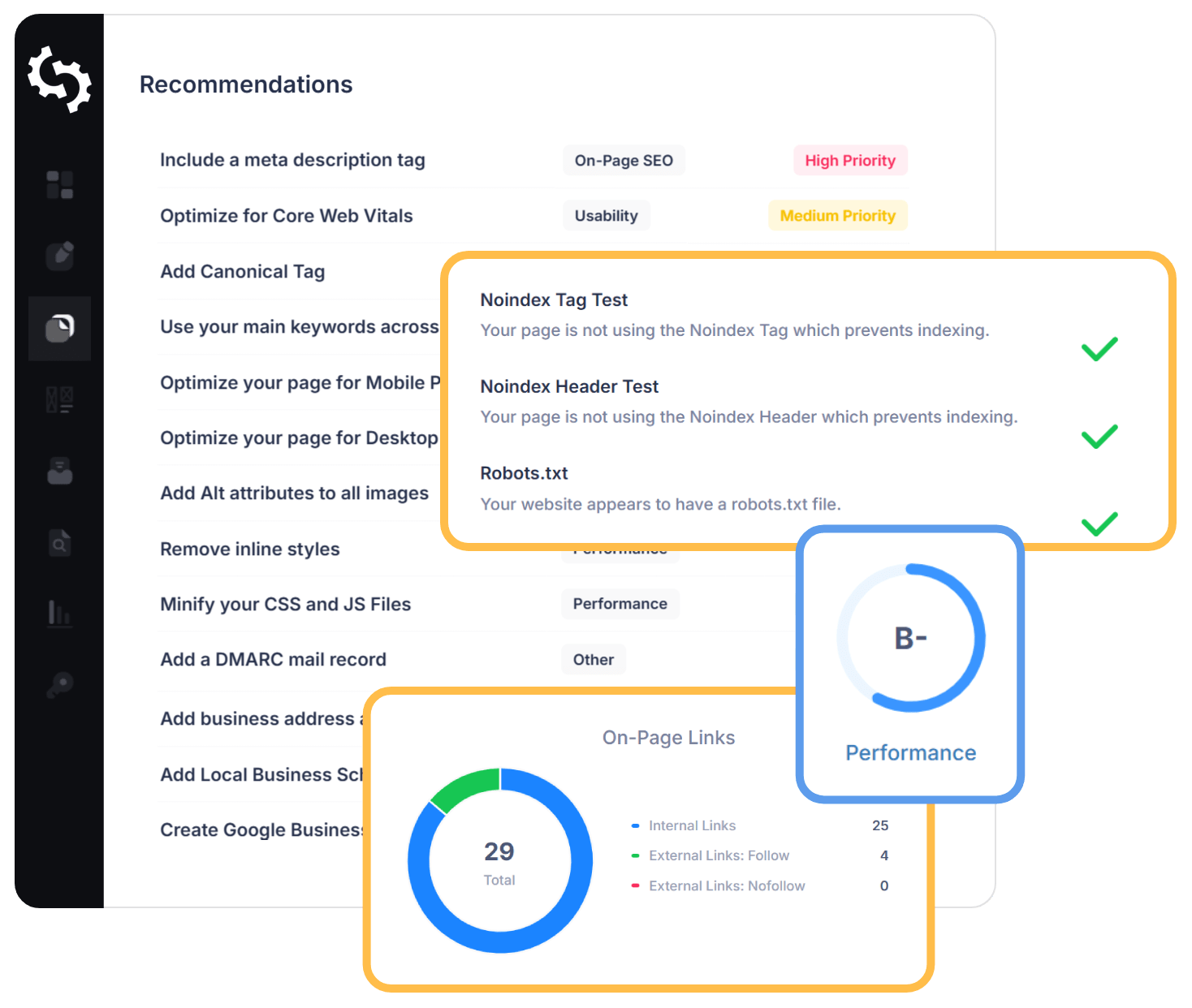
How to Run a Free SEO Audit of Your Website
A website SEO audit can reveal why pages are not appearing in search results, where visitors may be encountering problems and which improvements could make the biggest difference. The good news is that a useful first audit does not have to cost anything. Free tools can help identify technical issues, weak page content and opportunities to improve your site’s visibility.
This guide explains how to carry out a free SEO audit of your website, what to check and how to prioritise the results.
What is an SEO audit?
An SEO audit is a review of the factors that can affect a website’s performance in search engines. It usually covers technical SEO, on-page content, site structure, mobile usability and page speed. An audit cannot guarantee higher rankings, but it can help you find issues that may be holding your website back.
Start with free SEO audit tools
Several reputable tools offer useful checks at no cost. Their features and limits can change, so check each provider’s current terms before getting started.
- Google Search Console: Shows how your pages perform in Google Search and highlights issues such as indexing and mobile usability.
- Google PageSpeed Insights: Tests individual pages and provides recommendations for improving loading speed and user experience.
- Screaming Frog SEO Spider: The free version can crawl smaller websites and help identify broken links, missing page titles and other on-page issues.
- Ahrefs Webmaster Tools: Eligible website owners can access selected site audit and performance data after verifying ownership.
Use tools as a starting point rather than treating every warning as an urgent problem. Automated checks can flag technical details that may have little effect on visitors or search performance.
Check whether important pages are indexed
Search engines need to be able to discover and index your pages before they can appear in search results. Open Google Search Console and review the indexing reports. Look for important pages that are excluded, blocked or returning errors.
Check that your sitemap is up to date and submitted in Search Console. Also review your robots.txt file and page-level settings to make sure valuable pages are not being unintentionally hidden from search engines.
Review titles, headings and page content
Each important page should have a clear, descriptive title and a useful main heading. These should accurately reflect the page rather than simply repeat keywords. Review your pages for:
- Missing or duplicated page titles and meta descriptions
- Pages without a clear main heading
- Content that is outdated, too brief or difficult to understand
- Multiple pages targeting the same topic without a clear purpose
- Broken links or links with unclear wording
Focus on helping people find the information they need. Search terms can help you understand what your audience is looking for, but keyword repetition can make content awkward and less useful.
Test mobile usability and page speed
Visitors should be able to use your website comfortably on a mobile phone, tablet or desktop computer. Check that text is readable, buttons are easy to tap and important information is not hidden or difficult to find.
Run key pages through PageSpeed Insights to spot potential performance improvements. Large images, unnecessary scripts and slow server responses can all affect loading time. Start with the recommendations that are practical and likely to improve the experience for real visitors.
Look for broken links and confusing navigation
Broken links can frustrate visitors and make it harder for search engines to understand your website. Use a crawling tool to check for links that lead to missing pages. Where possible, update the link or redirect the old page to the most relevant alternative.
Review your navigation too. Important pages should be easy to reach, and related pages should link to one another where it is helpful. A clear structure benefits visitors as well as search engines.
Prioritise your audit findings
A free website SEO audit may produce a long list of recommendations. Address the issues that are most likely to affect visitors and search visibility first:
- Fix important pages that cannot be crawled or indexed.
- Repair broken links and server errors on valuable pages.
- Improve unclear or incomplete titles, headings and content.
- Make key pages easier to use on mobile devices.
- Work through page-speed recommendations that are achievable.
Keep a record of the changes you make and review performance over time in Google Search Console and your website analytics. SEO improvements may take time to show results, and a single audit is rarely the end of the process.
When is a paid SEO audit worth considering?
Free tools are often enough to uncover common problems on a small website. A more detailed professional audit may be useful for a large or complex site, a website experiencing a sudden drop in traffic, or a business that needs in-depth competitor and content analysis. Before paying for an audit, ask what it includes and whether the recommendations will be prioritised and explained clearly.
Make your free SEO audit a regular habit
A free SEO audit is a practical way to spot website issues and build a plan for improvement. Check indexing, review your content, test mobile usability, assess page speed and fix broken links. By concentrating on changes that improve the experience for visitors, you can create a stronger foundation for your website’s search performance.
Exploring Free Options for Website SEO Audits: Common Questions Answered
- Is website auditor free?
- Are SEO audits free?
- Is there a free SEO website review?
- How can I audit my website for free SEO?
Is website auditor free?
Whether a website auditor is free depends on the tool. Many SEO platforms offer free audits, limited-use versions or trials that can identify common issues such as broken links, missing page titles and indexing problems. These free options may restrict the number of pages you can check or the features available. For a straightforward review, tools such as Google Search Console and Google PageSpeed Insights are free to use, though they focus on particular aspects of SEO rather than providing a complete audit.
Are SEO audits free?
Yes, you can carry out an SEO audit for free using tools such as Google Search Console and PageSpeed Insights, which help identify issues with indexing, page speed and website performance. Some SEO platforms also offer free site audits, though they may limit the number of pages or features available. A free audit is a useful starting point, but larger or more complex websites may benefit from a detailed professional review.
Is there a free SEO website review?
Yes, several tools offer a free SEO website review. Google Search Console can show how your pages perform in Google Search and flag indexing issues, while Google PageSpeed Insights checks page speed and user experience. Free versions of website crawlers may also identify problems such as broken links, missing page titles and duplicate content. These checks are a useful starting point, though free tools may limit the number of pages or depth of analysis, and their recommendations should be reviewed in context.
How can I audit my website for free SEO?
You can audit your website for free using tools such as Google Search Console, Google PageSpeed Insights and the free version of Screaming Frog SEO Spider. Check whether important pages are indexed, look for broken links and missing page titles, review your content and test how quickly pages load on mobile and desktop. Prioritise problems that affect visitors or prevent search engines from accessing key pages, then track your progress over time. Free tools provide a useful starting point, although their reports may not explain every issue or recommend the best fix for your site.
Tags: ahrefs webmaster tools, broken links, free seo audit, google pagespeed insights, google search console, headings, indexing, meta descriptions, mobile usability, on-page content, page speed, page titles, robots.txt, screaming frog seo spider, search visibility, seo audit free website, seo audit tools, seo improvements, site structure, sitemap, technical seo, website analytics, website navigation, website seo audit