
Web Page Analysis Online: A Practical Guide
Online web page analysis tools help you understand how a page performs, how easy it is to use and how well it can be found in search results. Whether you manage a business website, publish articles or are improving a single landing page, analysis can highlight issues and help you decide what to fix first.
What is web page analysis?
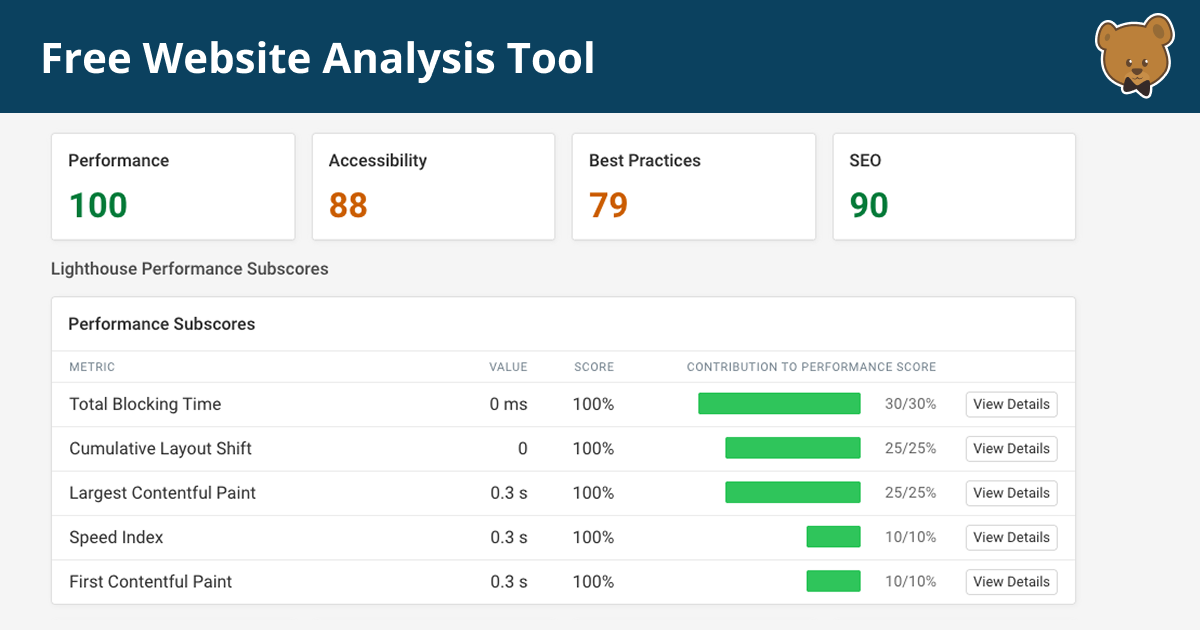
Web page analysis is the process of reviewing a page’s content, technical setup, performance and user experience. Online tools can scan a page and report on factors such as loading speed, mobile usability, accessibility, search engine optimisation (SEO) and security.
Some tools provide a quick automated score, while others offer detailed reports or compare performance over time. A score can be useful as a starting point, but it should not be treated as a complete measure of a page’s quality.
What can an online analysis check?
Page speed and performance
Slow pages can frustrate visitors, particularly on mobile connections. Performance checks may identify large images, unnecessary scripts, render-blocking resources or slow server responses. Look at the specific recommendations as well as the overall score: not every suggested change will have the same impact.
Mobile usability
A page should be easy to read and use on different screen sizes. Analysis can reveal text that is too small, buttons placed too close together, content that extends beyond the screen or layouts that do not adapt properly to mobile devices.
Search engine optimisation
SEO analysis may review the page title, meta description, headings, image alternative text, internal links and use of relevant search terms. These checks can help uncover omissions, but good SEO also depends on useful, accurate content that meets the needs of visitors.
Accessibility
Accessibility checks can flag issues such as missing image descriptions, insufficient colour contrast, unclear form labels or an illogical heading structure. Automated scans are helpful, but they cannot identify every barrier. Manual checks, including keyboard navigation and screen-reader testing, remain important.
Security and technical details
Some tools check whether a page uses HTTPS and look for basic technical problems, such as broken links or missing metadata. More extensive security testing should be carried out carefully and only on websites you own or have permission to assess.
How to analyse a web page online
- Choose the page you want to assess. Use its full URL and make sure the page is publicly accessible if the tool needs to load it.
- Select a suitable analysis tool. Choose one that covers your goals, whether that is speed, SEO, accessibility or a broader review.
- Run the test more than once if needed. Results can vary because of network conditions, caching and server load.
- Review the recommendations. Focus on clear, high-impact issues rather than trying to satisfy every automated warning.
- Make changes and test again. Keep a record of results so you can see whether updates have improved the page.
- Check the page yourself. Visit it on a phone and desktop, follow its links, complete its forms and read the content as a visitor would.
Choosing an online page analysis tool
Before using a tool, consider what it measures, whether it provides practical explanations and whether it tests a mobile or desktop version of the page. Some services are free, while others require an account or charge for advanced reports.
Check the tool’s privacy policy before submitting a URL or other information. Avoid entering passwords, private customer details or unpublished content into services you have not assessed. A public web address may also reveal information about a project or business that you would prefer to keep private.
Understanding the results
Automated reports are useful for spotting potential problems, but they can produce false positives or recommendations that do not suit every website. For example, removing a script might improve a speed score but could also break an important feature. Test changes carefully, especially on commercial or frequently visited pages.
It is also helpful to separate technical measurements from real-world outcomes. A faster page is valuable, but the wider goal is to help people find information, complete tasks and enjoy using the site. Analytics, customer feedback and usability testing can add context that a scanner cannot provide.
Make analysis an ongoing habit
Web page analysis is most useful when it forms part of regular website maintenance. Review important pages after major updates, check for broken links periodically and monitor performance as content and technology change. By combining online tools with practical testing, you can make informed improvements and create a more effective experience for your visitors.
9 Essential Tips for Analysing Web Pages Online
- Check the page’s purpose and intended audience.
- Review the URL for unusual spelling or domains.
- Look for a clear author and publication date.
- Verify key claims with reliable sources.
- Check whether links lead to trustworthy sites.
- Note signs of bias or persuasive language.
- Review images for context and possible misuse.
- Use accessibility tools to assess readability.
- Protect personal data when using analysis tools.
Check the page’s purpose and intended audience.
Before analysing a web page, consider its purpose and intended audience. A page designed to sell a product has different priorities from one that provides news, explains a service or helps visitors complete a task. Understanding who the page is for helps you judge whether its content, layout, tone and calls to action are relevant and easy to use. It also ensures that any recommendations you make support the page’s goals and the needs of its visitors.
Review the URL for unusual spelling or domains.
When carrying out web page analysis online, check the URL carefully for unusual spelling, extra characters or an unexpected domain ending. Fraudulent sites often use addresses that closely imitate trusted organisations, with small changes that are easy to miss. Make sure the domain matches the organisation’s official website before sharing personal information, entering payment details or downloading files.
Look for a clear author and publication date.
When analysing a web page online, look for a clearly named author and a publication or last-updated date. Knowing who wrote the content can help you judge their expertise and credibility, while the date shows whether the information is current—especially important for topics that change quickly. If either detail is missing, treat the page with caution and check its claims against reliable, up-to-date sources.
Verify key claims with reliable sources.
When analysing a web page online, verify important claims against reliable, independent sources rather than accepting them at face value. Check who published the information, when it was updated and whether it links to credible evidence, such as official guidance, academic research or recognised industry bodies. Comparing multiple trustworthy sources can help you spot outdated, misleading or unsupported claims and make your assessment more accurate.
Check whether links lead to trustworthy sites.
When analysing a web page online, check that its links lead to trustworthy, relevant websites. Look for clear signs that the destination is genuine, such as an accurate web address and a secure HTTPS connection, and be cautious of misspellings, unexpected redirects or requests for sensitive information. Reliable external links can support a page’s information and help visitors, while broken or suspicious links may undermine trust and put users at risk.
Note signs of bias or persuasive language.
When analysing a web page online, look for signs of bias or persuasive language. Notice whether the wording presents opinions as facts, relies on emotionally charged phrases, or emphasises information that supports only one viewpoint. Check who created the page, what their purpose may be, and whether claims are backed by reliable evidence. Comparing the content with independent sources can help you form a more balanced view.
Review images for context and possible misuse.
Review images for context and possible misuse. Check that each image is relevant to the surrounding content, accurately represents what it claims to show and has appropriate captions or alt text. Also consider whether it could be misleading, taken out of context or used without permission. If an image includes identifiable people, sensitive information or third-party branding, make sure its use is lawful and respectful before publishing.
Use accessibility tools to assess readability.
Use accessibility tools to assess how easy your web page is to read and navigate. These tools can flag issues such as low colour contrast, small text, unclear headings and missing labels, helping you make content more accessible to people with different needs. Treat automated results as a useful starting point, then review the page yourself to ensure the language is clear and the layout works well on different devices.
Protect personal data when using analysis tools.
When using online web page analysis tools, protect personal data by checking the provider’s privacy policy and understanding how submitted URLs and test results are stored or shared. Avoid entering passwords, customer details or confidential information, and only analyse pages you own or have permission to assess. If a page is private or unpublished, use a trusted tool with appropriate security safeguards, or test it in a controlled environment instead.
Tags: accessibility, automated website audit, broken links, content quality, loading speed, mobile usability, online analysis tools, page speed, performance testing, privacy policy, search engine optimisation, seo, technical seo, usability testing, user experience, web analytics, web page analysis, web page analysis online, website maintenance, website performance, website security