
How to Check Your Website’s SEO Score for Free
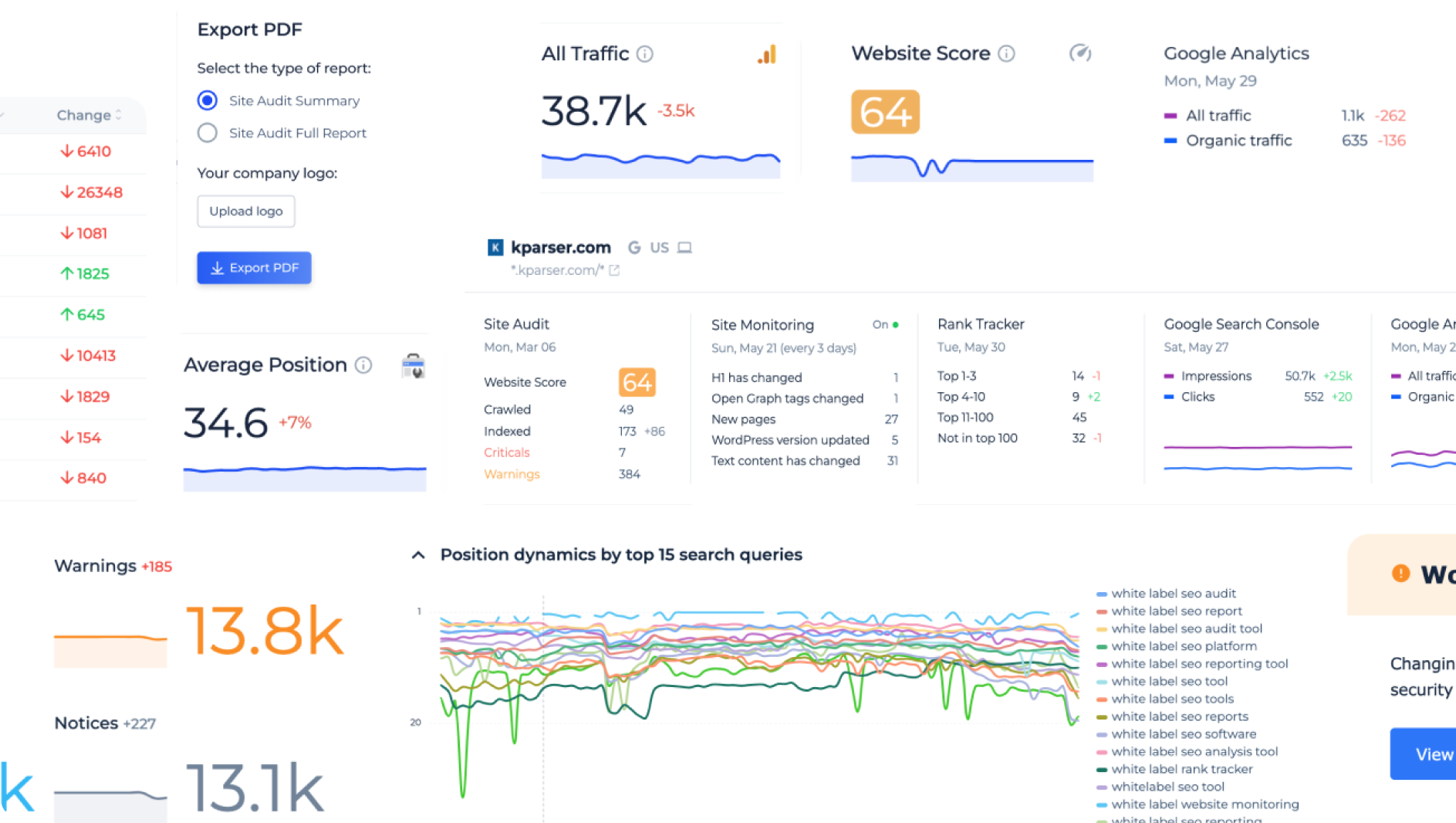
Want to know how well your website is optimised for search engines? You can check your website’s SEO score for free using a range of online tools. These tools can highlight issues with page speed, mobile usability, indexing, on-page content and technical SEO—helping you decide what to improve first.
It is worth remembering that an SEO score is only an indicator. There is no single score used by Google to decide where a website appears in search results. Use free checkers to find potential problems, then review the recommendations in context.
Free tools for checking your website’s SEO
Google Search Console
Google Search Console is a free service that shows how your website performs in Google Search. It can help you check whether important pages are indexed, see which search queries bring people to your site, and identify certain indexing or experience issues. It is one of the best places to start because it provides information directly from Google.
Google PageSpeed Insights
PageSpeed Insights analyses a page’s loading performance on mobile and desktop. It also provides suggestions for improving speed and user experience. Test several important pages, such as your homepage, a service page and a popular article, rather than relying on a single result.
Lighthouse
Lighthouse is available through Chrome’s developer tools and can report on performance, accessibility, best practices and SEO basics. It is useful for checking individual pages and understanding possible improvements, although its results should not be treated as a direct prediction of search rankings.
Bing Webmaster Tools
Bing Webmaster Tools offers free information about your website’s visibility in Bing, along with tools for discovering some technical and SEO issues. It can provide a helpful second view alongside Google Search Console.
What does an SEO score check?
Free SEO checkers may assess different areas, so scores can vary from one tool to another. Common checks include:
- Technical SEO: whether pages can be crawled and indexed, and whether the site has issues such as broken links or missing redirects.
- On-page SEO: page titles, headings, meta descriptions, image alternative text and the use of relevant search terms.
- Mobile usability: whether pages are easy to read and use on smaller screens.
- Page speed: how quickly key content loads and whether images or scripts are slowing the page down.
- Content quality: whether pages provide useful, clear and original information for visitors.
- Security: whether the website uses HTTPS.
How to check your website’s SEO score
- Choose a few key pages. Start with your homepage and the pages that matter most to your organisation or business.
- Run a technical check. Use Google Search Console to look for indexing problems and PageSpeed Insights to assess performance.
- Review page details. Check that each page has a clear title, a useful heading structure and a description that accurately summarises its content.
- Check the mobile experience. Visit the pages on a phone and make sure text, menus, buttons and forms are easy to use.
- Prioritise improvements. Fix problems that prevent visitors or search engines from accessing important content before focusing on small score changes.
- Check again later. SEO improvements take time. Keep an eye on search impressions, clicks and technical reports after making changes.
How to improve your SEO score
Once you have checked your website, focus on practical improvements. Write helpful content that answers the questions your audience is likely to ask. Give each page a clear purpose, use descriptive headings and link related pages together where it is useful. Compress large images, remove unnecessary scripts and make sure your site works well on mobile devices.
It is also important to keep your website technically accessible. Use clear URLs, fix broken links, submit a sitemap through Search Console and check that important pages are not accidentally blocked from search engines. Avoid adding keywords where they do not read naturally; useful content and a good visitor experience should come first.
Are free SEO score checkers accurate?
Free checkers are useful for spotting common issues, but they do not all measure the same things. A high score does not guarantee better rankings, more visitors or increased sales. Likewise, a lower score does not necessarily mean that a page cannot perform well in search results.
Use scores as a starting point, not a final verdict. Confirm important findings with tools such as Google Search Console, check the pages yourself and focus on changes that make the website more useful, accessible and reliable.
Check your website’s SEO for free today
You do not need to pay for an SEO audit to begin understanding your website’s performance. Free tools can help you identify indexing, speed and content issues, and give you a clear list of areas to investigate. Start with your most important pages, make improvements one step at a time and measure progress over time.
5 Free Tips to Evaluate Your Website’s SEO Score
- Try Google Search Console for free insights into search performance.
- Use PageSpeed Insights to check speed and mobile usability.
- Run a free SEO audit with tools such as Ahrefs Webmaster Tools.
- Check titles, descriptions and broken links with a free site crawler.
- Treat SEO scores as guides; focus on fixing issues that affect visitors.
Try Google Search Console for free insights into search performance.
Try Google Search Console for free insights into your website’s search performance. It shows which search queries bring visitors to your pages, how often your site appears in Google results, and how many people click through. You can also check whether important pages are indexed and review alerts about certain technical issues. Add your website to Search Console to see where it is performing well and identify opportunities to improve.
Use PageSpeed Insights to check speed and mobile usability.
Use Google PageSpeed Insights to check how quickly your website loads on mobile and desktop, and to identify issues that may affect the experience on smaller screens. Enter a page URL to receive performance results and practical suggestions, such as compressing images or reducing unnecessary code. Test your key pages individually, as performance can vary across your site, and use the results as guidance rather than treating the score as a direct measure of search rankings.
Run a free SEO audit with tools such as Ahrefs Webmaster Tools.
Run a free SEO audit with tools such as Ahrefs Webmaster Tools to uncover common issues affecting your website’s search performance. After verifying ownership, you can scan your site for problems such as broken links, missing title tags, slow pages and crawlability issues, then use the recommendations to prioritise improvements. Treat the results as a helpful guide rather than a definitive SEO score, and review each suggestion to make sure it is relevant to your website and visitors.
Check titles, descriptions and broken links with a free site crawler.
Use a free site crawler to check your website’s page titles, meta descriptions and links. It can quickly identify missing or duplicated titles and descriptions, as well as broken links that may frustrate visitors or make it harder for search engines to understand your site. Review the results and prioritise fixes on your most important pages, keeping titles and descriptions clear, accurate and relevant.
Treat SEO scores as guides; focus on fixing issues that affect visitors.
Treat free SEO scores as useful guides, not definitive measures of how well your website will rank. Different tools assess different factors, so a lower score does not always mean there is a serious problem. Focus first on issues that affect visitors, such as slow-loading pages, broken links, difficult mobile navigation or unclear content. Fixing these practical problems can improve the user experience while supporting your website’s SEO.
Tags: bing webmaster tools, broken links, check seo score of website free, content quality, free seo checker, google search console, https, lighthouse, mobile usability, on-page seo, page speed, pagespeed insights, search engine optimization, search rankings, seo audit, seo improvements, seo tools, sitemap, technical seo, website indexing, website performance, website seo score