
The Impact of Page Load Speed on SEO
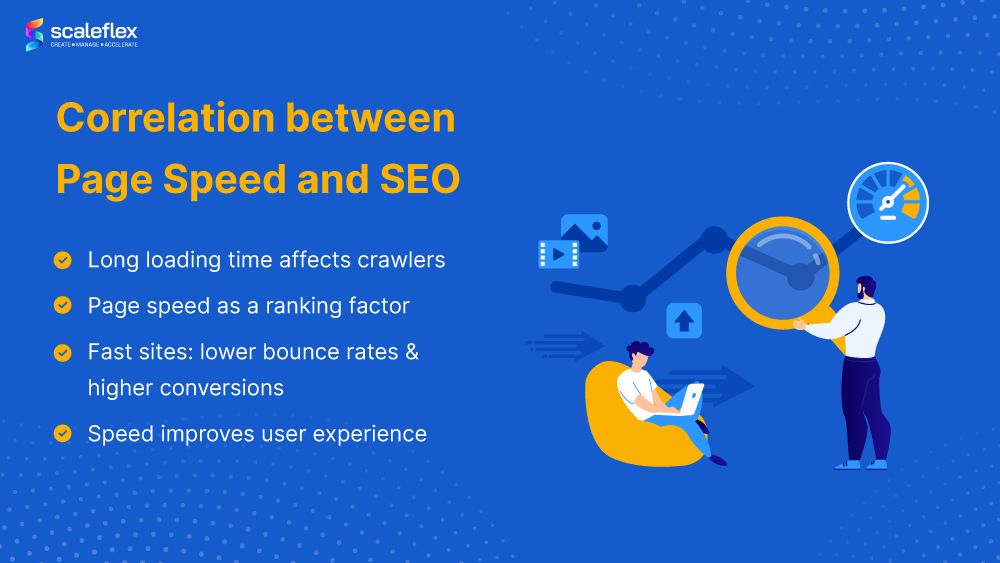
Page load speed is a critical factor that significantly influences the performance of a website in terms of search engine optimization (SEO). Search engines, such as Google, consider page load speed as one of the key ranking factors when determining the position of a website in search results.
Fast-loading websites not only provide a better user experience but also tend to rank higher in search engine results pages (SERPs). Slow-loading pages, on the other hand, can have a negative impact on SEO and may lead to lower rankings and decreased organic traffic.
There are several reasons why page load speed is important for SEO:
- User Experience: Faster loading times improve user experience and reduce bounce rates, which can signal to search engines that the website offers valuable content.
- Crawlability: Search engine bots crawl and index faster-loading pages more efficiently, leading to better visibility in search results.
- Mobile Friendliness: With the increasing use of mobile devices for browsing, fast page load speed is crucial for mobile SEO performance.
- Core Web Vitals: Google’s Core Web Vitals include metrics related to page load speed, such as Largest Contentful Paint (LCP) and Cumulative Layout Shift (CLS), which directly impact SEO rankings.
To improve page load speed and enhance SEO performance, website owners should focus on optimising images, minifying CSS and JavaScript files, leveraging browser caching, and implementing content delivery networks (CDNs). Regular monitoring and testing using tools like Google PageSpeed Insights can help identify areas for improvement.
In conclusion, prioritising page load speed is essential for maintaining a competitive edge in the digital landscape. By optimising website performance and ensuring fast loading times, businesses can enhance their SEO efforts and attract more organic traffic from search engines.
8 Essential Tips for Improving Page Load Speed and Enhancing SEO
- Optimize images by reducing file size and using the appropriate format (e.g. JPEG, PNG)
- Minify CSS, JavaScript, and HTML to reduce file sizes
- Enable browser caching to store frequently accessed data locally
- Use a content delivery network (CDN) to distribute content geographically for faster loading times
- Reduce server response time by optimizing server configurations and code
- Limit the use of redirects to avoid additional HTTP requests
- Prioritize above-the-fold content to ensure faster initial loading for users
- Regularly monitor and test page load speed using tools like Google PageSpeed Insights
Optimize images by reducing file size and using the appropriate format (e.g. JPEG, PNG)
Optimising images is a crucial aspect of improving page load speed for better SEO performance. By reducing the file size of images and selecting the appropriate format, such as JPEG or PNG, website owners can significantly enhance loading times. JPEG is ideal for photographs and complex images, offering a good balance between quality and compression, while PNG is preferred for graphics and images with transparency. Choosing the right image format and optimising their sizes can help websites load faster, improve user experience, and boost search engine rankings.
Minify CSS, JavaScript, and HTML to reduce file sizes
Minifying CSS, JavaScript, and HTML files is a crucial tip for improving page load speed and enhancing SEO performance. By removing unnecessary characters, comments, and white spaces from these files, their sizes are reduced, leading to faster loading times for web pages. Smaller file sizes mean quicker downloads for visitors, resulting in a better user experience and potentially higher rankings in search engine results. Implementing minification techniques is a simple yet effective way to optimise website performance and boost SEO efforts.
Enable browser caching to store frequently accessed data locally
Enabling browser caching to store frequently accessed data locally is a valuable tip for improving page load speed and enhancing SEO performance. By allowing browsers to store static resources like images, CSS files, and JavaScript locally, websites can reduce server load and decrease loading times for returning visitors. This not only improves user experience by delivering content more quickly but also signals to search engines that the website is optimised for efficiency, potentially boosting its rankings in search results. Browser caching is a simple yet effective strategy that can have a significant impact on both website performance and SEO success.
Use a content delivery network (CDN) to distribute content geographically for faster loading times
Utilising a content delivery network (CDN) to distribute content geographically is a valuable strategy to improve page load speed and enhance SEO performance. By leveraging a CDN, website owners can store and deliver their content from servers located in various regions, reducing latency and ensuring faster loading times for users across different geographical locations. This approach not only enhances user experience but also signals to search engines that the website is optimised for speed, potentially leading to improved rankings in search results.
Reduce server response time by optimizing server configurations and code
Reducing server response time is a crucial step in improving page load speed for better SEO performance. By optimising server configurations and code, website owners can enhance the efficiency of data processing and delivery, leading to faster loading times. Fine-tuning server settings, minimising unnecessary scripts, and implementing caching mechanisms are effective strategies to decrease server response time and provide users with a seamless browsing experience. Prioritising these optimizations can have a significant impact on SEO rankings by signalling to search engines that the website is well-optimised for speed and user satisfaction.
Limit the use of redirects to avoid additional HTTP requests
Limiting the use of redirects is a crucial tip to improve page load speed and enhance SEO performance. Each redirect triggers additional HTTP requests, leading to increased load times and potentially impacting user experience. By reducing unnecessary redirects and ensuring a direct path to content, website owners can streamline the browsing experience for visitors and signal to search engines that the site is optimised for efficiency. This practice not only improves page load speed but also contributes to better SEO rankings by demonstrating a commitment to providing users with fast and seamless access to information.
Prioritize above-the-fold content to ensure faster initial loading for users
Prioritising above-the-fold content is a crucial tip for improving page load speed and enhancing SEO performance. By focusing on loading the content that appears at the top of the page first, users can access important information more quickly, leading to a better user experience. This strategy not only speeds up the initial loading process but also helps reduce bounce rates and improve search engine rankings, ultimately driving more organic traffic to the website. By optimising above-the-fold content, website owners can create a positive first impression and increase engagement with their audience.
Regularly monitor and test page load speed using tools like Google PageSpeed Insights
Regularly monitoring and testing page load speed using tools like Google PageSpeed Insights is crucial for maintaining optimal website performance and enhancing SEO efforts. By utilising such tools, website owners can identify areas that require improvement, implement necessary changes to enhance loading times, and ensure that their site meets the standards set by search engines for a better user experience. Consistent monitoring and testing help in staying ahead of potential issues and ultimately contribute to improved search engine rankings and increased organic traffic.
Tags: browser caching, content delivery networks cdns, core web vitals, crawlability, cumulative layout shift, google pagespeed insights, largest contentful paint, minify css, minify html, minify javascript, mobile friendliness, optimise images, page load speed, page load speed seo, search engine optimization, seo, user experience